




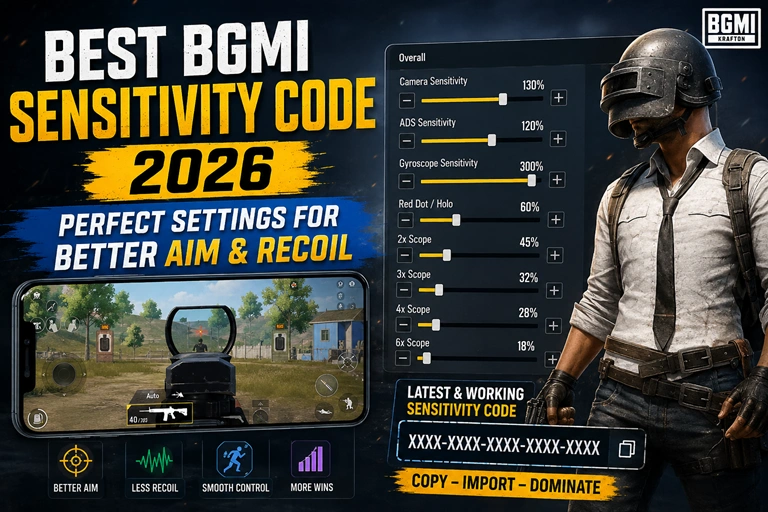
You can have a powerful weapon, a fast phone and a solid internet connection, yet still lose a close-range fight because your aim moves too far or your recoil pulls the crosshair away from the target. That is why finding the Best BGMI Sensitivity Code 2026 can make a noticeable difference. The right sensitivity does not magically create headshots, but it can make aiming, tracking and recoil control feel much more predictable.
This guide explains how BGMI sensitivity works, which settings deserve the most attention, how to use a sensitivity code, and how to adjust the numbers for your own device and playing style.
Quick Summary
- The best BGMI sensitivity is not identical for every player.
- Camera sensitivity controls how quickly your view moves when you swipe.
- ADS sensitivity affects aiming and recoil behavior while firing.
- Gyroscope settings can provide finer recoil and tracking control.
- A sensitivity code should be tested rather than copied blindly.
- Always practice new settings in Training Ground before using them in ranked matches.
- Small adjustments can be more effective than completely changing your setup.
What Is BGMI Sensitivity and Why Does It Matter?
Sensitivity determines how much your camera or aiming reticle moves when you swipe your finger or tilt your phone. Think of it as the connection between your physical movement and what happens on the screen.
If sensitivity is too low, turning toward an enemy can feel slow. You may struggle when someone suddenly appears beside you. If it is too high, a tiny finger movement can send your crosshair past the target.
The sweet spot sits somewhere between those extremes.
For example, imagine tracking an enemy running across your screen with an M416. You need enough sensitivity to follow the target smoothly, but not so much that your crosshair constantly jumps ahead. The same principle applies when controlling recoil during a longer spray.
That’s why sensitivity should be viewed as a personal control setting, not a secret combination of numbers that guarantees better performance.
Camera, ADS and Gyroscope: What’s the Difference?
BGMI provides several sensitivity categories, and each has a different purpose.
Camera sensitivity affects how quickly your viewpoint moves when you’re looking around or controlling your view without firing.
ADS sensitivity relates to aiming down sights and can influence how your screen responds while shooting.
Gyroscope sensitivity is designed for players who use phone movement to control their aim. It can be particularly useful for fine adjustments and recoil management.
Understanding these differences is more useful than simply searching for a “zero recoil” code and applying it without testing.
Also Read: Satvik UID, ID, Stats, K/D Ratio, Headshots, Income & More (2026)
Best BGMI Sensitivity Code 2026: What Should You Look For?
A good sensitivity setup should feel predictable. When you swipe a certain distance, you should have a reasonable idea of where the crosshair will end up.
Rather than claiming that one code works perfectly for everyone, use a sensitivity configuration as a starting point.
A Balanced Setup Is Better Than Extreme Sensitivity
Very high sensitivity can feel impressive during quick flicks, but it may make precise tracking harder. Extremely low sensitivity can provide controlled movements but make fast turns uncomfortable.
A balanced setup generally aims for:
- Smooth camera movement
- Controlled close-range tracking
- Reliable scope movement
- Manageable vertical recoil
- Consistent micro-adjustments
- Comfortable gyro response, if enabled
Your screen size, touch response, FPS stability and even the way you hold your phone can affect how a particular configuration feels.
Should You Use Gyroscope?
If you are comfortable moving your device while aiming, gyroscope can be worth learning.
Gyroscope aiming allows you to make small adjustments without relying entirely on your thumb. During automatic weapon sprays, players can use subtle phone movements to compensate for vertical recoil.
It does require practice, though. A player who has never used gyro may initially find it awkward.
A practical approach is to start with a moderate gyroscope sensitivity, spend time in Training Ground and gradually adjust it based on actual recoil patterns.
How to Import a BGMI Sensitivity Code
If you have received a BGMI sensitivity code from another player, creator or your own previous setup, the exact menu names can vary depending on the current game version and interface.
Generally, the process involves opening BGMI’s settings and locating the Sensitivity section. Look for the option related to sensitivity management, sharing or importing settings. From there, you can enter or use the available code/import mechanism and apply the configuration.
Before replacing your existing settings, it is smart to save or record your current sensitivity values.
Why?
Because a code that feels excellent on one device may feel completely different on another. If the imported setup feels uncomfortable, you can quickly return to your previous configuration.
Test the Code Before Playing Ranked Matches
Don’t import a new sensitivity and immediately jump into a competitive match.
Spend several minutes testing:
- Camera movement.
- Red Dot and holographic aiming.
- 3x and 4x scope control.
- Close-range tracking.
- M416 or another familiar automatic weapon.
- Vertical recoil during extended sprays.
- Quick turns and target switching.
If one setting feels wrong, change that setting instead of throwing away the entire configuration.
How to Adjust Sensitivity for Better Recoil Control
Recoil control is one of the biggest reasons players search for BGMI sensitivity settings.
However, sensitivity is only one part of the equation. Weapon attachments, firing distance, movement, crosshair placement and your own thumb or gyro technique all affect the result.
If Your Aim Moves Too Slowly
Increase the relevant sensitivity slightly.
Don’t make a huge jump. Try a small adjustment, then repeat the same training drill.
For example, if you are comfortable at a particular value but feel that turning toward a nearby opponent is too slow, increase it gradually rather than doubling the setting.
If Your Aim Feels Too Fast
Reduce the sensitivity.
This is particularly useful when your crosshair repeatedly overshoots enemies. High sensitivity isn’t automatically better. Precision matters more than raw speed.
If Your Spray Pulls Away From the Target
Check your ADS and, if applicable, gyroscope settings.
Practice spraying at a fixed distance while keeping your crosshair around the target’s upper body. Watch how the weapon moves and identify whether you are consistently pulling too much or too little.
Make one change at a time.
That last point matters. If you change camera, ADS, gyro and control layout simultaneously, you won’t know which adjustment actually helped.
BGMI Sensitivity Settings for Different Playstyles
There is no single ideal setup for every BGMI player.
Aggressive Close-Range Players
Players who frequently push buildings and take fast fights may prefer a more responsive camera. Quick target switching is valuable when opponents can appear from multiple directions.
The trade-off is that overly sensitive controls can make precise aiming difficult.
Mid-Range Spray Players
Players who spend more time using assault rifles at medium distance generally benefit from predictable ADS movement and recoil control.
Consistency is the priority here. Your crosshair should stay manageable while tracking a moving opponent.
Sniper and DMR Players
Precision becomes more important for players who frequently use bolt-action rifles or DMRs.
A sensitivity setting that feels fantastic for close-range hip-fire may be too aggressive for tiny long-range adjustments. Sniper-focused players should therefore test scope movement carefully.
Gyroscope Players
Gyro users have another variable to consider: how much physical phone movement they want to use.
Higher gyro sensitivity can make quick recoil corrections easier, but it can also make the crosshair twitchy. Lower gyro sensitivity feels more controlled but may require larger device movements.
The right balance depends heavily on personal technique.
Why the “Zero Recoil” Sensitivity Code Isn’t Really Zero Recoil
You will often see BGMI sensitivity codes promoted with phrases such as “zero recoil,” “one-tap headshot” or “100% headshot.”
Treat those claims carefully.
Sensitivity cannot remove a weapon’s recoil mechanics. It can help you control the weapon more effectively, but your own input still matters. A player needs to compensate for recoil, maintain crosshair placement and understand how different weapons behave.
For example, an M416 spray and a high-recoil weapon won’t behave identically even if you use the same sensitivity.
The better goal is consistent recoil control, not the expectation of recoil disappearing completely.
Common BGMI Sensitivity Mistakes to Avoid
Many players make sensitivity more complicated than it needs to be.
Changing Settings Every Day
If you use a new sensitivity today, another one tomorrow and a third one after watching a creator’s video, your muscle memory never gets enough time to develop.
Give a configuration a proper trial.
Copying a Pro Player’s Settings Blindly
A professional player’s sensitivity may be designed around a particular device, screen, FPS setup, control layout and personal technique.
Use professional settings as inspiration, not as a guarantee.
Ignoring Your Device
A sensitivity that feels responsive on a high-refresh-rate phone may feel different on another device.
Touch response, frame rate and screen characteristics can all affect how controls feel.
Testing Only in Real Matches
Ranked matches are a poor place to experiment.
Training Ground and unranked modes provide a safer environment to learn how a new setup behaves.
How to Find Your Own Perfect BGMI Sensitivity
Instead of endlessly hunting for a magical code, build your sensitivity around your own gameplay.
Start with a configuration that feels reasonably comfortable. Then test one category at a time.
Try the following routine:
Step 1: Choose a baseline sensitivity.
Step 2: Test camera movement and quick turns.
Step 3: Test ADS with your most-used assault rifle.
Step 4: Test your preferred scopes.
Step 5: If you use gyro, practice recoil control with it enabled.
Step 6: Make small changes rather than dramatic ones.
Step 7: Play several matches before making another major adjustment.
After a few sessions, you’ll usually notice whether your sensitivity is genuinely helping.
Muscle memory is a major part of aiming. Constantly changing settings prevents your hands from learning consistent movements.
Does a BGMI Sensitivity Code Work on Every Device?
Not necessarily.
A sensitivity code contains settings, but it does not eliminate differences between devices or players. Two people can apply the same configuration and have completely different experiences.
Factors such as:
- Screen size
- Touch response
- Refresh rate
- Frame rate
- Finger placement
- Control layout
- Gyroscope hardware
- Personal aiming technique
can influence the result.
That’s why the smartest approach is to treat any shared code as a baseline configuration.
If it feels too fast, lower the relevant value. If it feels sluggish, raise it gradually.
Best Way to Practice New BGMI Sensitivity
Once you’ve imported or created your setup, repetition matters.
Pick one weapon and practice the same actions repeatedly. For example, use an assault rifle to practice a short burst, a medium spray and a longer spray. Then repeat the exercise while tracking a moving target.
Don’t judge a sensitivity after five seconds.
Give yourself enough time to adapt to it.
You may initially dislike a new configuration simply because your muscle memory is accustomed to the old one. After several practice sessions, it may become much more comfortable.
This is also why sensitivity guides should focus on adjustment principles, not just publishing a random list of numbers.
Also Read: BGMI New Update 4.0, 4.1, 4.2, 4.3, 4.4, 4.5 Release Date: Major Features, Changes & Download Guide
FAQ: Best BGMI Sensitivity Code 2026
What is the best BGMI sensitivity code in 2026?
The best BGMI sensitivity code depends on your device, control layout and playstyle. A good code should provide comfortable camera movement, predictable ADS behavior and manageable recoil rather than promising automatic headshots.
Does BGMI sensitivity give zero recoil?
No. Sensitivity does not remove weapon recoil. It can make recoil easier to control by changing how camera and aiming movements respond to your inputs, but proper technique and practice are still required.
Should I use gyroscope sensitivity in BGMI?
Gyroscope can be useful if you are comfortable controlling aim through phone movement. It can provide precise adjustments and help with recoil management, but it takes practice and isn’t mandatory for effective gameplay.
How often should I change my BGMI sensitivity?
Avoid changing sensitivity too frequently. After making an adjustment, spend enough time practicing and playing several matches before deciding whether it works. Small, deliberate changes usually produce better results than constant resets.
Final Takeaway
The Best BGMI Sensitivity Code 2026 isn’t necessarily the code with the highest numbers or the one advertised as “zero recoil.” The best setup is the one that feels predictable in your hands and matches the way you actually play.
Start with a sensible baseline, test it in Training Ground, adjust individual settings gradually and give your muscle memory time to adapt. Once your controls become consistent, aim and recoil management become much easier to improve.